
6 Useful Autodesk Maya Tools That Will Speed Up Your Workflow #modeling3d #modelingtips #3dtips
Speed up your Autodesk Maya workflow with these 6 powerful productivity tools designed to save time on repetitive modeling, hard-surface, edge selection, and UV tasks. If you’d like to purchase any of the tools, feel free to DM me on Instagram. https://www.instagram.com/singhparveen2354/?hl=en In this video, I’m showcasing the complete 6-Tool Maya Productivity Bundle, including: 🔹 Grid Fill Tool — Quickly fill open edge loops with Quads or Triangles 🔹 Maya ↔ RizomUV Sync — Transfer UVs between Maya and RizomUV with one click 🔹 Hard Edge Selection — Automatically select hard-surface edges based on crease angle 🔹 UV Transfer Tool — Transfer UVs from one object to multiple objects instantly 🔹 UV Checker Map Tool — Quickly check UV stretching, density, and layout 🔹 Edge Step Tool — Select every Nth edge for fast patterned selections Perfect for 3D Artists, Game Artists, Hard-Surface Modelers, Prop Artists, Environment Artists, and Autodesk Maya users who want a faster and cleaner workflow. 📦 Get the 6 Maya Productivity Tools: These are paid tools. If you’re interested, Just DM me on Instagram, and I’ll share the link with you. If these tools help improve your Maya workflow, Like 👍 Subscribe 🔔 and Follow for more Maya tips & tools! #autodeskmaya #maya3d #MayaTools #3DModeling #uvmapping #hardsurface #rizomuv #3dartist #mayatutorial #3dworkflow
Suggested videos
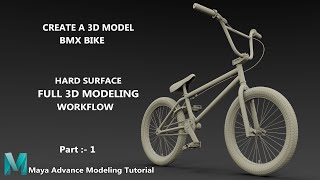
BMX Bike | Part 1 Modeling Tutorial Autodesk Maya 2023
Parveen 3D Artist · 1:39:34
Maya Workflow
Jorge Muñoz (JEMDESIGN.MX) · 2:51
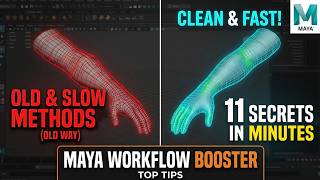
Powerful Maya 3D Modeling Secrets in Minute #mayatutorial
Parveen 3D Artist · 9:05
Random useful TIPS and TRICKS in MAYA
vinnimateur · 15:20
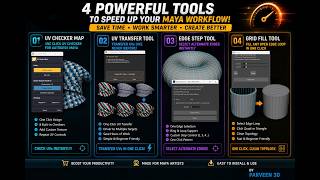
4 Powerful Maya Tools Every 3D Artist Needs | Modeling & UV Workflow
Parveen 3D Artist · 5:48

Maya Hotbox | Speed Up Your Workflow!
Just Maya Stuff · 2:51

Autodesk Maya Perfume Bottle Modeling Tutorial | Complete Product Visualization
Parveen 3D Artist · 37:37
3 Viewport Shortcuts to Speed Up Your Workflow in Maya! + Bonus tips
Cube Cutter · 6:43
Maya 2018 Ultra short tutorial : How to speed up your Workflow ?
MH Tutorials · 3:48
Military Jeep Modeling in Maya 2023
Parveen 3D Artist · 5:15:34

5 Maya Plugins That Changed My Workflow Forever
Animatic Academy · 8:03
Student Work | Modeling | Game Props | Anjumanara Parveen | Arena Animation Ultadanga
Arena Animation Ultadanga · 0:32