
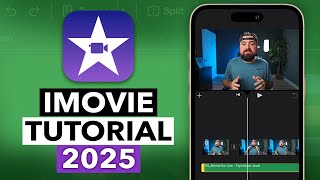
How to use iMovie: Tutorial for Beginners in 12 MINS! [ 2026 ]
How to use iMovie for beginners in only 12 mins!! iMovie video editing tutorial, Apple iMovie Tutorial for beginners, how to use iMovie for Mac and iPhone iOS. Try UniConverter V17 now: ➡️https://event.wondershare.com/api/s/3a1 (*) Supercharge your production pipeline from your idea to publishing — master the visual polish, the thumbnail art, and the batch output with UniConverter AI. Discover alternative Video Editors ➡️ https://www.youtube.com/watch?v=jCq2QulXPC0&list=PLXP4h6BgzlN0W9FVTnSvHyV_QX7Z_P1Sh 🔥MORE at https://theskillsfactory.com/ There is not a show or a playlist guide (unique video), unless you make requests. Enable SUBTITLES if you have trouble at understanding the narration. Leave feedback if you can! #imovie #appleimovie #WondershareUniconverter #skillsfactory How to use iMovie for beginners in only 12 mins!! iMovie video editing tutorial, Apple iMovie Tutorial for beginners, how to use iMovie for Mac and iPhone iOS. Get iMovie for free here (official website): ✅ https://www.apple.com/imovie/index.html (*) Video commissioned by Wondershare company under a paid-promotion agreement. ⭐️TIMESTAMPS 00:00 Introduction to iMovie: Beginners Guide 2026 00:26 Getting Started with iMovie (MacOS & iOS) 01:17 How to Import Media Files & Manage Projects 01:43 Configuring Project Settings & Aspect Ratios 01:55 How to Record from Microphone 02:28 Understanding the Project Timeline Workflow 03:16 Video Preview & Player Controls 03:42 [NEW] How to Convert Media Files with UniConverter 05:14 Editing Clips: Trim, Split & Manage Events 07:27 Adding Titles, Text & Animated Overlays 08:16 How to Add Transitions Between Video Clips 09:03 Enhancing Visuals: Color Correction & Filters 09:55 Using Overlay Effects (Green Screen & Split Screen) 10:31 Using Audio Effects 10:42 How to Export & Share Your iMovie Project 👉ABOUT IMOVIE iMovie is the best free video editor for macOS and iOS, offering professional 4K exporting and AI-enhanced storyboards, perfect for creators, students and small business owners. This is a free professional video editing software pre-installed on all Apple devices including Mac, iPhone, and iPad. This 2026 guide teaches you how to master transitions, green screen, and soundtracks on both Mac and iPhone in under 15 minutes, explaining how you can edit a video on a MacBook Pro or iPhone. 👉ABOUT WONDERSHARE UNICONVERTER Wondershare UniConverter is an all-in-one media toolbox designed for fast video conversion, compression, editing, screen recording, and AI-powered enhancement. It supports over 1,000 video and audio formats, batch processing, 4K/8K/HDR files, subtitle generation, noise removal, watermark editing, and GPU-accelerated performance. Its simple interface makes it ideal for creators, educators, and businesses needing quick, high-quality media workflows across Windows and Mac. Welcome to The Skills Factory™! Enter into a New Way of Learning the most famous products worldwide. SUBSCRIBE to start learning anything you need in less than 15 minutes. We love you ♥
Suggested videos

iMovie Tutorial for Beginners 2025 - Everything You NEED to KNOW! (UPDATED)
Vince Opra · 21:50

Basketball Training: SkillsFactory OutWork Clinic #Basketball #Drills #HardWork #Results
SLskillsfactory · 12:09
Learn How To Use iMovie In 5 Minutes
macmostvideo · 4:47
Canva - Tutorial for Beginners - How to use [ Canva Tutorial 2026 ]
Skills Factory · 17:34

Starting from NOOB and becoming RICH in Roblox Skills Factory Tycoon
ImCadeBlox · 29:06

iMovie Complete Beginners Guide 2026 (How To Use iMovie)
Think Tutorial · 24:35

How to Use SketchUp - Full Beginner's Guide to 3D Design [ 2026 ]
Skills Factory · 12:52
iMovie Tutorial for Mac - The COMPLETE Guide!
Justin Brown - Primal Video · 22:14

Microsoft Project - Tutorial for Beginners in 15 MINS! [ COMPLETE GUIDE ]
Skills Factory · 15:18
How to Use iMovie on iPhone
Howfinity · 9:34

SolidWorks - Tutorial for Beginners in 13 MINUTES! [ COMPLETE ]
Skills Factory · 13:33
iMovie For iPhone Video Editing Tutorial (2025)
Collin Michael Tutorials · 6:00