
Mercedes OBD1 Diagnostic Guide: How to Read and Reset Codes on W126, W124, W140 W201
This video is about how to use a OBD1 diagnostic code reader on W124 W126 W140 W201 Benz Find more information about the code reader here: https://www.mercedescodereader.com In this episode, Ralf from Stray Benzes introduces the OBD1 diagnostic system found in late 80s and early 90s Mercedes-Benz models. He demonstrates how to use an inexpensive, LED-based code reader to pull and clear diagnostic codes, providing a cost-effective alternative to professional scanners for the W126, W124, W140, and W201 chassis. Video Chapters [00:01] Introduction: Identifying Mercedes chassis with OBD1 systems. [00:56] Locating the Port: Finding the 8-pin variety socket in the engine bay. [01:15] The Device: Overview of the LED-based homemade diagnostic tool. [01:42] Connection Steps: Connecting to the battery and diagnostic sockets. [02:41] Reading Codes: The button-press sequence to trigger LED blink codes. [03:13] Troubleshooting the Reader: What to do if the LED stays lit constantly. [03:54] Clearing Codes: The 8-second reset procedure to refresh the system. [04:19] Final Advice: Sourcing inexpensive tools to avoid getting "stuck." Video Summary Ralf explains that many Mercedes-Benz models from the late 1980s through the early 1990s are equipped with an OBD1 diagnostic port. He highlights that while professional scanners are expensive, a simple LED-based device can help owners identify issues with various vehicle systems without needing specialized software. Key Technical Highlights: Socket Identification: On the 8-pin variety shown, socket #1 is typically used for the ground/black connection, while the red wire connects directly to the positive battery terminal. Pulling Codes: To retrieve a code, you press the button on the reader for one to two seconds. The LED will then blink a specific number of times; these "blink codes" can be cross-referenced with online charts to identify the fault. The "Stuck LED" Issue: If the LED on the reader stays lit as soon as it is plugged in, it indicates a fault that is "stuck." Ralf suggests this is often caused by a faulty or stuck relay. You may need to unplug relays one by one to find the culprit. Resetting the System: Once a code has been identified and the repair made, you can clear the error memory by holding the button for eight seconds. This is a crucial step to verify that the fix was successful. Compatibility: This diagnostic method is applicable to a wide range of chassis, including the W126, W124, R129, W140, and W201. It is an essential skill for owners who want to maintain their classics without relying on expensive shop diagnostics. Video URL: https://youtu.be/AXjA0xrbDPo
Suggested videos
Classic Mercedes 722 Transmission Leak Diagnosis & Oil Pan Replacement (W126 / W124)
Stray Benzes · 47:09
Rick's How to read and clear OBD1 codes - Mercedes 1988-95
Ricks Mercedes Obd1 Diagnostic Code Reader. · 6:39
Mercedes W126 Crank No Start Diagnosis: Troubleshooting the Bosch KE-Jetronic
Stray Benzes · 23:34

How to Make a Diagnostic Code Reader for Old Mercedes
Ahmad's Cars · 10:25
The Right Way to Grease Classic Benz Door Hinges (W126 S-Class)
Stray Benzes · 5:57
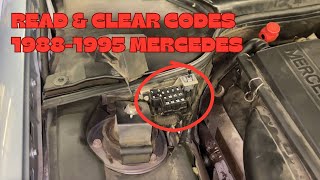
How To Read & Clear Codes Check Engine Lights 1988-1995 Mercedes Benz Onboard Button OBD1
Parts & Projects · 4:12

Classic Mercedes: The Overlooked Fuel Screen Filter on M103 M104 M116 M117 Engines W126 W124 R107
Stray Benzes · 2:45

Read and Clear Check Engine Lights: 1988 to 1995 Mercedes with the onboard button
Ricks Mercedes Obd1 Diagnostic Code Reader. · 13:09
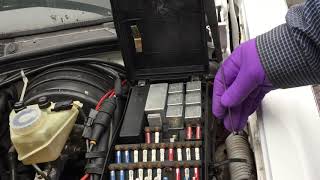
Ceramic vs. Plastic Fuses: Choosing the Right Parts for Your Classic Mercedes Benz
Stray Benzes · 8:31
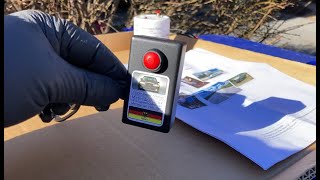
DIY Mercedes-Benz OBD1 Reader: Clearing Error Codes & Finding Relay Faults W126
Stray Benzes · 5:53

I Was Wrong! Greasing the HIDDEN W126 Rear Door Hinges
Stray Benzes · 7:02
DIY OBD1 code reader. Mercedes W124 E220 part 3
Home Built By Jeff · 17:18