
OMODA 5 EV – How to Play Music from Smartphone via Car System
Learn how to play music from your smartphone through the OMODA 5 EV car system. In this short video you’ll see how to make sure your phone is connected, open the Audio section, choose "Music via Bluetooth" from the menu, and start playback. These steps work with Android and iPhone and let you stream Spotify, YouTube Music or local files to the OMODA infotainment system. Follow along for quick, clear steps to get audio playing in seconds and a couple of tips if playback does not start immediately. How to play music from smartphone on OMODA 5 EV? How to connect smartphone to OMODA 5 EV via Bluetooth? How to select Music via Bluetooth in OMODA 5 EV infotainment? 0:00 Intro 0:07 Connect smartphone to the car 0:18 Open Audio and go to Menu 0:23 Select "Music via Bluetooth" 0:30 Start playback and quick tips #OMODA5EV #OMODA #CarAudio #BluetoothMusic Find out more: https://www.hardreset.info/devices/omoda/omoda-5-ev/how-to-play-music-from-smartphone-via-cars-system/ Follow us on Instagram ► https://www.instagram.com/hardreset.info Like us on Facebook ► https://www.facebook.com/hardresetinfo/ Tweet us on Twitter ► https://twitter.com/HardResetI Support us on TikTok ► https://www.tiktok.com/@hardreset.info Use Reset Guides for many popular Apps ► https://www.hardreset.info/apps/apps/
Suggested videos
BYD ATTO 2 DM-i – All Tutorials, Settings, Hidden Features & Tips
HardReset_info CARs · 6:57:37
OMODA 5 EV – How to Connect Android Auto & Apple CarPlay
HardReset_info CARs · 1:06
Peugeot 3008 I – Is It Worth Buying in 2026?
HardReset_info CARs · 0:59
OMODA 5 EV – How to Pair Smartphone via Bluetooth
HardReset_info CARs · 1:06
Peugeot 3008 I – How Safe Is the Car?
HardReset_info CARs · 0:56
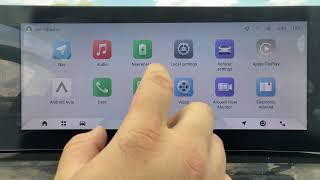
OMODA 5 EV – How to Adjust Bluetooth Phone Volume
HardReset_info CARs · 0:25
BYD Sealion 6 – 5 Worst Features of the Car
HardReset_info CARs · 1:00
Omoda 5 Infotainment Guide 2026 | System Walkthrough & Driver's Display
the interface Cars · 29:28

BYD Sealion 6 – How Safe Is This Car?
HardReset_info CARs · 0:56

How do I play music from my smartphone through the OMODA 5 EV audio system?
HardReset CARs DE · 1:01
Nissan Maxima – 5 Best Features of the Car
HardReset_info CARs · 0:38

OMODA 5 EV – How to Make Phone Calls via Car System
HardReset_info CARs · 0:43