
How To Stream On TikTok LIVE With Streamlabs - Complete Tutorial For Beginners
Set up Streamlabs for TikTok LIVE from scratch, including all three access methods, Dual Output, audio, camera and display capture, TikFinity alerts, overlays, optional multistreaming and the final Go Live checks. Streamlabs Ultra - Free 7 Day Trial (Affiliate) ►► https://geni.us/streamlabsultra Free Stream Key ►► https://toktutorials.com/stream-key Streamlabs application form ►► https://toktutorials.com/streamlabs-application TikFinity (Affiliate) ►► https://geni.us/tikfinity Graphics from Fiverr (Affiliate) ►► https://geni.us/fiverroverlays Live Success Academy ►► https://toktutorials.com/academy Blog version ►► https://www.toktutorials.com/post/how-to-stream-on-tiktok-live-with-streamlabs-2026 The core setup is free. Dual Output lets you send one horizontal stream and one vertical stream at the same time. Streamlabs Ultra is optional for wider multistreaming and premium extras. TikTok accepts landscape LIVE streams too, so choose the canvas that fits your content. Some links are affiliate links, which means I may earn a commission at no extra cost to you. 00:00 Intro 00:29 How to get access (including stream key) 01:48 Link streaming accounts 02:27 Download and log in 03:04 Enable Dual Output (two canvases) 03:25 Audio and video settings 04:34 Adding your camera and computer display 09:30 Add microphone noise suppression 10:53 Add TikFinity alerts 15:21 Add multistream alerts 15:56 Add overlays (custom design) 18:33 Adding your stream key 19:48 Virtual cam LIVE Studio method 20:52 Going live 21:40 More stream key info #TikTokLIVE #Streamlabs #LiveStreaming #TikFinity
Suggested videos
How To Set Up TikTok LIVE Studio (2026) - Complete Tutorial For Beginners
TT LIVE With Harry · 29:37
Viewers Control ANY TikTok LIVE Game - Complete Tutorial For Beginners (2026)
TT LIVE With Harry · 9:21
How To Set Up TikFinity (2026) - Complete Tutorial For Beginners
TT LIVE With Harry · 59:40
Complete TikFinity Setup - 2024 TikTok LIVE Alerts (Gifts, Follows, Subs, TTS and more)
TT LIVE With Harry · 33:33
How To Go LIVE With TikTok Shop From A PC or Mac - Complete Beginners Tutorial For Shop LIVE Manager
TT LIVE With Harry · 31:41
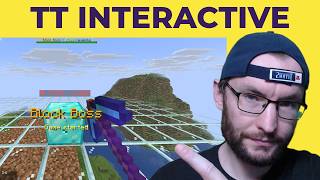
Turn TikTok gifts into a Minecraft game your viewers can control - TT Interactive Plugin And Server
TT LIVE With Harry · 4:41
How To Get Your TikTok LIVE Stream Key (2026)
TT LIVE With Harry · 3:31

Viewers Control Your GTA 5 Game - TikTok LIVE TikFinity Tutorial
TT LIVE With Harry · 6:03