
Video unavailable
This video may be inappropriate for some users.
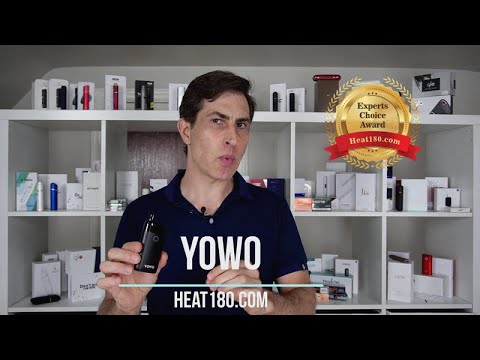
YOWO - Heat Not Burn device for heavy smokers that want to quit 🚭
🌎 https://heat180.com/reviews/uwoo-yowo/ BUY NOW: https://www.paypal.com/cgi-bin/webscr?cmd=_s-xclick&hosted_button_id=HMSSJ3AACMVR8 https://www.uwooheatnotburn.com/ Promo code: HEAT180.COM - 10% off the price The full website review will be up in a few days as well. Pronounced: ‘You-woo’ ‘Yo-woah’ PART 1 – REVIEW • First device we’ve reviewed that uses regular cigarettes not HeatSticks • Even though this device uses regular cigarettes it’s supposed to be designed to reduce the harm from them by heating them rather than burning o Biggest difference is that this device doesn’t have a blade to heat Instead it has induction heating • Created by UWOO (maker of UWOO Y1 and UWOO Ym HnB devices) • Operation is very similar to that of HnB devices • 20 consecutive uses • Offers temperature adjustment • Cycle lasts 4 minutes • Heating takes 1 minute • cycle lasts anywhere from 3 minutes to 6 minutes – you choose • $60USD • Comes with 12 month manufacturer defect warranty and 3 month physical appearance warranty • Heat180 exclusive promo: 10% off of manufacturer’s website with code HEAT180.COM PART 2 – HOW TO USE • Set temperature o 5 settings (the higher the number the more intense) o To set, press and hold control button for 8 seconds, device will vibrate once, keep holding, device will vibrate again and lights will flash, click control button once until set to desired temperature, wait and temperature will set 1 = light number 1 flashes 3 times 2 = light number 2 flashes 3 times 3 = light number 3 flashes 3 times 4 = light number 1 flashes 3 times 5 = lights number 1 and 2 flash 3 times • Get a cigarette o Needs to be 7.8mm in diameter (this is most standard cigarettes (i.e. Marlboro)) • Break the filter off of the tobacco plug • Put the filter in the top part of the heating chamber (the part that sticks out at the top) • Open the door on the bottom of the device • Put the tobacco plug in the bottom part of the heating chamber (inside the device) and close the door • Press and hold control button to turn on • Device will vibrate and lights turn on one-by-one • When heated, vibrate and all lights are on • Before cycle ends, warning vibration and 1 light flashes • When cycle ends, 2 more vibrations and lights turn off • Remove filter from top part • Open door and remove tobacco plug from bottom part • To check battery status click control button once o 4 lights lit = 100%-75% charge remaining o 3 lights = 75%-50% o 2 lights = 50% - 25% o 1 light = 25%-5% o Flashing light = less than 5% charge remaining • to clean, use brush in both top and bottom parts of the heating chamber 🌎 https://Heat180.com 🐦 https://witter.com/heat180c 👍https://facebook.com/heat180c 📌 https://pinterest.ca/heat180world 📸 https://www.instagram.com/heat180c/
Suggested videos
Heat180 update...
Heat180 · 3:45

Introductory Video - Heat180.com
Heat180 · 1:21
Is your device ruining the taste of your heatsticks 🔥
Heat180 · 6:53
💡 Heat-not-Burn Review - Tips, Hacks and Tricks - Part 1️⃣
Heat180 · 13:44
TOBA Review - Winner 🏆 IQOS compatible
Heat180 · 8:56

Problems heat-not-burn users face 🆘
Heat180 · 10:33
HiTaste Quick 2.4 Review - IQOS compatible
Heat180 · 3:52
UWOO YM Heat not Burn compatible with HEETS
Heat180 · 9:29