
Video unavailable
This video may be inappropriate for some users.
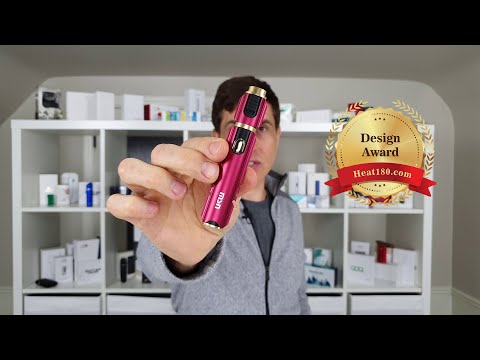
MSN M20 Review - Heat not Burn
🌎 https://heat180.com/reviews/msn-m20/ BUY THIS DEVICE: https://s.click.aliexpress.com/e/_dSJ6fRH PART 1 – REVIEW • Simple device – but sturdy and cool design • Has locking feature, temperature adjustment • Get 20 consecutive cycles • Heats in 8 seconds • Cycle lasts 3 minutes, 54 seconds PART 2 – HOW TO USE • Unlock by pressing and holding control button for 5 seconds, the light turns green, then flashes white • Insert HeatStick • Manual says to change the temperature before heating, but our device only worked after heating • Click control button 3 times to heat • Vibrate and light flash white • Click control button 3 more times to change the temperature o Blue = low o White = high* • *NOTE: the device will vibrate when it changes to high temperature, but doesn’t vibrate when it changes to low temperature • When ready to use, 2 vibrates and the light turns solid • When the cycle ends, vibrate and light turns off • Remove HeatStick by lifting up the cap and pulling HeatStick out • Lock by pressing and holding control button for 5 seconds • To check battery status, unlock, click control button once o Green = 100%-80% o Blue = 80%-20% o Red = 20%-0% • To clean, remove the cap, use brush or cleaning sticks to wipe away grime • 3-month warranty for battery only – the device must be returned to the manufacturer 🌎 https://Heat180.com 🐦 https://witter.com/heat180c 👍https://facebook.com/heat180c 📌 https://pinterest.ca/heat180world 📸 https://www.instagram.com/heat180c/
Suggested videos

GLO Nano Review
Heat180 · 10:34
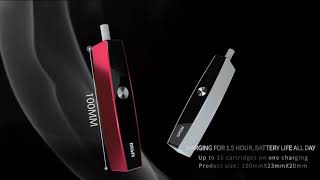
MSN M1 900mah HNB heat not burn up to 15 continuous compatibility with iQOS stick
Alex Yu · 0:56
Heat180 update...
Heat180 · 3:45
IQOS Reviews - The 🌏 of IQOS
Heat180 · 18:55

Introductory Video - Heat180.com
Heat180 · 1:21
💰 How to make money in Heat not Burn 💰
Heat180 · 23:30

💡 Heat-not-Burn Review - Tips, Hacks and Tricks - Part 1️⃣
Heat180 · 13:44
Is your device ruining the taste of your heatsticks 🔥
Heat180 · 6:53

Problems heat-not-burn users face 🆘
Heat180 · 10:33

Hitaste P8 heat not burn tobacco device for use with heatsticks
Belinda Chen · 1:05
Aluminum in HeatSticks?
Heat180 · 7:56
Hitaste E20 heat not burn tobacco device induction system for use with Terea
Belinda Chen · 0:36