
Vim Essentials: Linux Editing Made Simple (Episode 3 - Buffers)
🛍️ *50% Off My “Troubleshooting Strategies” e-book! Limited Time!* 👉 https://learnlinux.link/bf-ebook In this episode of the Vim series from Learn Linux TV, we dive into buffers—an essential concept for managing multiple files efficiently within Vim, the powerful text editor favored by Linux and UNIX users. You’ll learn how buffers work, how to switch between them, and why mastering them can significantly boost your productivity. This course is designed to help beginners and power users alike become more effective in the terminal with hands-on, practical Vim skills. *📘 FAQ* - What is a "Distribution" of Linux? ➜ https://linux.video/what-is-a-distro - What is a "Desktop Environment"? ➜ https://linux.video/desktop-environment - Which Server Distro should I use? ➜ https://linux.video/which-server-distro - How do I create USB install media? ➜ https://linux.video/install-media - How do I connect to a server via SSH? ➜ https://linux.video/use-ssh - How do I use apt? ➜ https://linux.video/apt - How do I use dnf? ➜ https://linux.video/dnf - How do I install Arch Linux? ➜ https://linux.video/install-arch - How do I configure SSH? https://linux.video/ssh-server - How do I install updates? ➜ https://linux.video/updates - How do I secure my Linux Server? ➜ https://linux.video/every-server *Other Episodes in this Series* * Episode 1 ➜ Basic Usage (and how to exit Vim): https://linux.video/vim-1 * Episode 2 ➜ Modes, Navigation and More: https://linux.video/vim-2 * Episode 3 ➜ This Video * Episode 4 ➜ Visual Mode: https://linux.video/vim-4 * Episode 5 ➜ Splitting Your Vim Window: https://linux.video/vim-5 * Episode 6 ➜ Tips, Tricks and How to Configure Vim: https://linux.video/vim-6 ━━━━━━━━━━━━━━━━━━━━━━ 🕐 Time Codes 00:00 - Intro 01:06 - Revisiting Buffers 04:09 - Adding a buffer, and switching between them 06:14 - Adding an empty buffer in Vim *🎓 More About Learn Linux TV* - *Official website* - https://www.learnlinux.tv - *Community Forums* - https://community.learnlinux.tv - *Official Subreddit* - https://learnlinux.link/reddit - *Facebook Community* - https://learnlinux.link/facebook-group - *Need Professional Linux Assistance?* - https://learnlinux.link/help - *More about Jay* - https://learnlinux.link/jay *🤝 Affiliate and Content Ethics* Some links in this description are affiliate links. If you purchase through them, Learn Linux TV may earn a commission at no additional cost to you. This helps keep the content flowing. - https://www.learnlinux.tv/content-ethics *⚠️ Use Content Responsibly* Learn Linux TV shares technical content intended to teach and help you, but it comes with no warranty. The channel is not liable for damages resulting from its use. Always ensure you have proper permission, follow organizational policies, protect important data, and comply with applicable laws. #vim #DevOps #Linux
Suggested videos
Vim Essentials: Linux Editing Made Simple (Episode 1 - Introduction)
Learn Linux TV · 19:33
10 Things I Wish I Learned First About Linux
Learn Linux TV · 23:31

Vim Essentials: Linux Editing Made Simple (Episode 4 - Visual Mode)
Learn Linux TV · 10:13
5 Mistakes to Avoid as a New Linux User
Learn Linux TV · 11:49

Vim Essentials: Linux Editing Made Simple (Episode 6 - Configuration)
Learn Linux TV · 13:15
10 Powerful Tips to Learn Linux Faster and Easier
Learn Linux TV · 19:13
Vim Essentials: Linux Editing Made Simple (Episode 2 - Modes & Navigation)
Learn Linux TV · 16:07

Top 5 Linux Community Habits That Really Annoy Me
Learn Linux TV · 11:21
Systemd Explained: How to Manage Linux Services Easily
Learn Linux TV · 47:41
Vim Essentials: Linux Editing Made Simple (Episode 5 -Splitting Windows)
Learn Linux TV · 9:45

The Best Way to Learn Linux
CyberFlow · 4:10
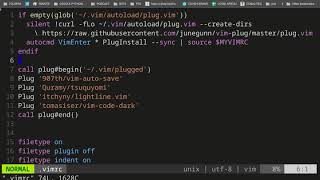
HOW TO SETUP VIM IN A SIMPLE MANNER ON ANY LINUX CONTAINER (AN INTRO TO VIM)
Jason Jurotich · 17:26