
Video unavailable
Join this channel to get access to members-only content like this video, and other exclusive perks.
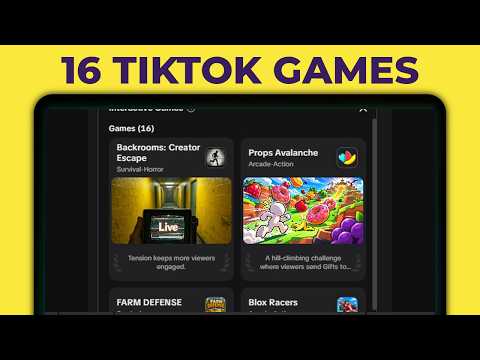
How To Set Up TikTok LIVE Studio Interactive Games Feature
In this video guide, TikTok LIVE Studio now has its own Interactive Games feature. Viewers can send gifts to trigger in-game effects, and Viewer Wishes shows them which gifts to send. 🔴 *Maximise Your Success* Patreon - Join the Live Success Academy ►► https://toktutorials.com/academy Widgets and games ►► https://toktutorials.com/widgets-and-games Get a FREE stream key ►► https://www.toktutorials.com/stream-key Join the Discord ►► https://toktutorials.com/discord Free newsletter (news + growth) ►► https://toktutorials.com/join 🔗 *Links from the video* TikTok LIVE Studio (affiliate link) ►► https://geni.us/livestudio TikTok stream key guide ►► https://toktutorials.com/stream-key 🌎 *Other links* Other socials, products and services ►► https://toktutorials.com/linktree Blog post ►► https://www.toktutorials.com/post/how-to-set-up-interactive-games-in-tiktok-live-studio Music from StreamBeats ►► https://toktutorials.com/streambeats Business email ►► teamwgmojo@gmail.com Timestamps 00:00 - Intro 00:20 - Create a blank scene 00:41 - Find Interactive Games in Tools 01:10 - Choose a game and its effects 01:28 - Download the game 01:53 - Set up the LIVE layout 02:09 - Launch the game and add your camera 02:46 - Check the game is running 03:06 - Set up Viewer Wishes 04:00 - Outro
Suggested videos
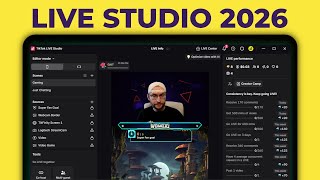
How To Set Up TikTok LIVE Studio (2026) - Complete Tutorial For Beginners
TT LIVE With Harry · 29:37
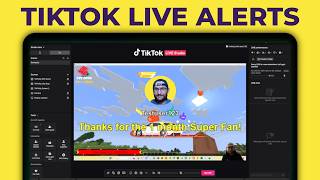
How To Set Up TikFinity (2026) - Complete Tutorial For Beginners
TT LIVE With Harry · 59:40
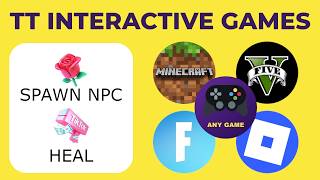
Viewers Control ANY TikTok LIVE Game - Complete Tutorial For Beginners (2026)
TT LIVE With Harry · 9:21

Complete TikFinity Setup - 2024 TikTok LIVE Alerts (Gifts, Follows, Subs, TTS and more)
TT LIVE With Harry · 33:33

How To Go LIVE With TikTok Shop From A PC or Mac - Complete Beginners Tutorial For Shop LIVE Manager
TT LIVE With Harry · 31:41

How To Get Your TikTok LIVE Stream Key (2026)
TT LIVE With Harry · 3:31
Turn TikTok gifts into a Minecraft game your viewers can control - TT Interactive Plugin And Server
TT LIVE With Harry · 4:41

Viewers Control Your GTA 5 Game - TikTok LIVE TikFinity Tutorial
TT LIVE With Harry · 6:03