
The Ultimate UGREEN NAS Backup Guide: USB, Local NAS & Remote
Today on Mackey Tech we're performing a 3-2-1 Back up plan for our DXP6800 Pro UGREEN NAS! For our Backup targets we're using an external USB Drive, a DXP2800 UGREEN NAS via Rsync and doing a Remote backup to the same 2800 UGREEN NAS using both UGOS 'UGREENLink' and then we'll try TailScale for our remote backup! Which one will work better? 🎉 Hey Tech Fans, Here is the Patreon Guide for the UGREEN NAS Backup Guide to accompany the video! https://www.patreon.com/MackeyTech/posts/patreon-ugreen-3-167249365?utm_medium=clipboard_copy&utm_source=copyLink&utm_campaign=postshare_creator&utm_content=join_link 🎯 **Stay Connected with Me!** 💳 Support the Channel & Join MackeyTech! https://www.youtube.com/channel/UCbRly0JoGWZJaqaw0juOcQg/join ✅ Mackey Tech Website: (https//mackeytech.online ) 🎥 My Patreon: Get early content and exclusive, behind the scences content! (https://patreon.com/mackeytech) 🧢 Merch Store: Exclusive Mackey Tech Swag! (https://kt43sv-by.myshopify.com/) 🎥 My UGREEN TailScale Video: https://youtu.be/cP7UERxSuPs?si=Ncl7uiNNpciBjRF1 (Jump to 6 minutes for Tailscale demonstration). 👉🏻 Some links may be affiliate links, which help support the channel at no cost to you. 🖥️ My Gear - Recording, editing and tech equipment: https://beacons.ai/mackeytech 💻 Hardware I Used: UGREEN DXP6800 PRO: https://amzn.to/4wEKpZ2 4 x 8TB Seagate Ironwolf HDD: https://amzn.to/4wE2B4U UGREEN DXP2800: https://amzn.to/3S2lHDx 2 x 4TB Seagate Ironwolf HDD: https://amzn.to/3SorLGG External 2TB USB HDD: https://amzn.to/4cTKhh8 📕Chapters: 00:00 What is 3,2,1 Backup? 00:37 What Should you BackUp 01:23 Starting Backup to a USB HDD 03:27 Preparing to locally backup NAS to another NAS via Rsync and starting the backup 04:59 How to prepare your NAS for Remote Backups 06:02 At My In-laws with my DXP2800 NAS to setup Remote backup 06:47 Does Ugreen’s Remote Ugreenlink work for Remote Backup? 07:58 Trying Tailscale for Remote backup 08:47 Backups are only good if you can Restore your backup! 09:40 Quick overview for using Tailscale on Ugreen NAS as remote backup 10:04 Make sure you have at least 3 copies backed up of your important data! 10:37 Conclusion and Thanks for Watching! 🌐 Websites/Sources: Tailscale: https://www.tailscale.com My UGREEN TailScale Video: https://youtu.be/cP7UERxSuPs?si=Ncl7uiNNpciBjRF1 (Jump to 6 minutes for Tailscale demonstration). #NAS #ugreennas #ugreen #backup #Mackeytech #remotebackup
Suggested videos

Is a Paid NAS OS Worth It? I Tested FygoOS to Find Out!
Mackey Tech · 16:18

HOW I BACKUP EVERYTHING ON MY UGREEN NAS | Full Guide
Herokme · 33:32

43: Mergers and Acquisitions with John Mackey
Fire Code Tech · 56:22

A NAS is not a backup - what's the solution? | Featuring UGREEN NAS
Forest Chaput de Saintonge · 21:15

2025 Guide to Hosting Your Own Cloud on a Raspberry Pi 5!
Mackey Tech · 17:11
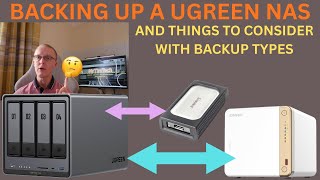
Backing Up A UGREEN NAS - Plus Things To Consider
MrTimTech · 18:46

Home Servers Explained: Why you need one!
Mackey Tech · 6:14

World's Fastest NAS Guide for Total Beginners | UGREEN NAS
QuickAssTutorials · 17:21

The Ultimate Raspberry Pi NAS Build for 2025!
Mackey Tech · 20:06

UGREEN has FINALLY added SNAPSHOTS - Set these up ASAP
SpaceRex · 23:39

Mr. Mackey defends Intellilink
Iamtrashmann · 1:42

UGREEN NASync Tutorial Series - Accessing UGREEN NAS Remotely
UGREEN NASync Official · 0:45