
InkSoft Academy: Back to Basics, Creating and Managing InkSoft Stores
🎥 Back to Basics: Creating and Managing InkSoft Stores Take your screen printing and embroidery business to the next level! Join our exclusive webinar and master the foundational skills of InkSoft, the premier e-commerce platform for apparel decorators. Whether you’re new to InkSoft or need a refresher, this hands-on session will cover: ✅ Setting up and managing your InkSoft online stores ✅ Organizing product catalogs for seamless sales ✅ Advanced tips for optimizing storefronts ✅ Integrating AI chatbots to enhance customer engagement ✅ Incorporating designs from GraphicsFlow into InkSoft Designer ✅ Creating name-droppable laser-engraved patches for headwear Discover how InkSoft can simplify your workflows, boost sales, and streamline your operations. Learn from the pros and see why thousands of businesses trust InkSoft to power their success. 0:00 Introduction 0:38 Administration permission levels 1:10 The InkSoft Dashboard 2:34 Options for creating stores, from scratch, cloning, and store templates 5:20 Creating a store from scratch with the New Store Wizard 21:20 Previewing the store and adjusting store settings and assigning products 23:10 Adding design ideas and clipart for use with the Designer 24:00 Adding and adjusting store components with the Style Editor 25:52 Configuring a fund raising component 27:20 Adding a hero banner and finalizing the store 29:45 Adding products with the Rapid Product Creator and supplier feeds 31:30 Uploading artwork and creating mockups 32:40 Creating color ways with vector graphics 33:05 Adding product details and pricing 33:35 Adding a product with embroidery, assigning thread colors to DST files and color ways 35:52 Adding products to the store with components 36:45 The Store Performance Dashboard, enabling client access 37:36 Cloning an existing store 38:30 Replacing artwork in bulk to localize a store for a new client 39:50 Updating the branding, color scheme, and banners 41:35 Adjusting product logo placement and product colors 43:00 Setting up quick store templates for different markets and store types 43:30 Incorporating a chatbot using a Dante AI subscription 44:17 Using a content block to incorporate custom HTML created in ChatGPT 45:30 Review of East Eagles Booster showcase store with name droppable templates 46:45 Incorporating the GraphicsFlow art portal into an InkSoft store 47:12 Wrap up 📲 Learn more at InkSoft.com #ScreenPrinting #Embroidery #Ecommerce #InkSoft #GraphicsFlow #CustomApparel #appareldecoration
Suggested videos

Configuring InkSoft Product Pricing, Print Pricing, Markups, and Coupons
InkSoft · 11:09
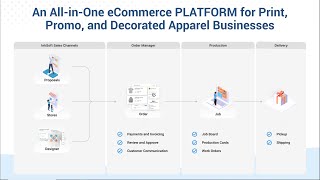
Introduction to InkSoft: The All-in-One Online Store Solution for Apparel Decoration and Signage
InkSoft · 8:15

Let technology do the work: Using software to grow your business
InkSoft · 1:20:32
InkSoft Academy Mastering Series: Module 2: Creating Engaging and Successful Online Stores
InkSoft · 51:24

Create Online Stores Even Faster: InkSoft's Online Store Creation Redesigned
InkSoft · 2:37

New Inksoft Feature! Updated Add Product Workflow
InkSoft · 2:54

InkSoft Academy Fueling Online Store Growth with DTF Transfers
InkSoft · 57:19

InkSoft Designer: Maximize Sales with Self-Service Quoting and Design
InkSoft · 5:18
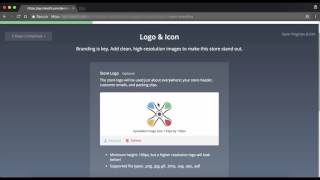
InkSoft Training Session 4: Store Creation Wizard
InkSoft · 24:31