
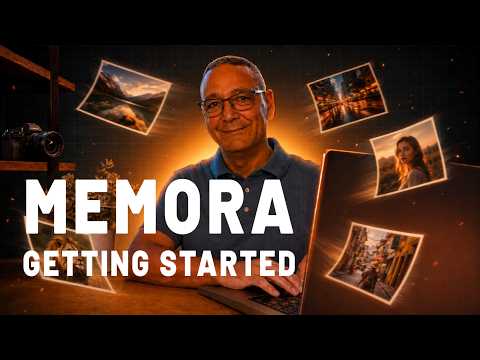
Video unavailable
This video can't be played right now.
Getting Started with Memora: Import Your Photos from Folders, Lightroom & Capture One
Getting started with Memora — import your photos from folders, Adobe Lightroom Classic, Capture One, and USB drives, and let local AI organize everything automatically (including face recognition for Pro users). 100% private: your photos never leave your computer. In this first video I show you how to set up Memora from scratch and add your photo sources: Watch folders, Lightroom catalogs, Capture One catalogs, and auto-detected USB drives How Memora ingests photos — descriptions, keywords, and AI face grouping Virtual sources (collections & people) and why they make finding photos fast Everything runs locally — your data stays on your machine 🔽 DOWNLOAD MEMORA (FREE, Windows) https://shutterdev.com/download/memora ⚖️ COMPARE FREE vs PRO https://shutterdev.com/memora/free-vs-pro 🔍 HOW MEMORA COMPARES Memora vs Lightroom → https://shutterdev.com/compare/lightroom-alternative Memora vs Google Photos → https://shutterdev.com/compare/google-photos-alternative Memora vs Mylio → https://shutterdev.com/compare/mylio-alternative Memora vs Excire Foto → https://shutterdev.com/compare/excire-alternative ✨ FEATURES AI Semantic Search → https://shutterdev.com/features/semantic-search Smart Albums → https://shutterdev.com/features/smart-albums Lightroom Integration → https://shutterdev.com/features/lightroom-integration RAW Support → https://shutterdev.com/features/raw-support 📚 MORE Memora overview → https://shutterdev.com/software/memora Tutorials → https://shutterdev.com/tutorials/memora Blog → https://shutterdev.com/blog ⏱️ CHAPTERS 00:00 Intro & what Memora looks like 00:10 Sources: folders, Lightroom, Capture One, USB 00:23 Pro: virtual sources & AI face grouping 00:42 Starting from scratch 01:04 Adding a folder (the + button) 01:10 Virtual sources explained 01:30 Watching Memora ingest your photos 01:54 Privacy: everything stays local 02:01 Importing a Lightroom catalog 02:32 Importing a Capture One catalog 02:54 Connecting a USB drive 03:17 What's next: organizing, tags, semantic search #Memora #PhotoManagement #AISearch #Lightroom #CaptureOne #Photography #ShutterDev
Suggested videos
Importing Your Photos Into Lightroom
Photonerds University · 6:21
How to Import Photos Capture One [2026 Full Guide]
Tutorials with Ilker · 2:42

Shutter is better for taking self-portraits with your camera
Shutter · 1:55

Tips for Importing Files into Lightroom Classic
Julieanne Kost · 5:56

Control ALMOST ANY Camera With This App - Shutter+ Walkthrough
Mario So · 13:01

How to Import Photos into Lightroom [2026 Full Guide]
Shortcut Academy · 2:45
Shutter+ - A Great Camera Remote Control App - Full Overview & Tutorial
Ian Middleton : Photography & Travel · 32:18

How to Import Photos Like a PRO Photographer | Lightroom Classic Tutorial 6
Aperlust · 11:53

Shutter Bluetooth Extension: 3x Faster Photo Transfers on Shutter — Turn This On Now (Setup Guide)
Ian Middleton : Photography & Travel · 5:52
From SD card all the way to storage. Importing, culling, sorting and storing your precious photos.
Simon d'Entremont · 14:37
Fuji X Series Wireless App Winner? - Shutter+ App Fujifilm Sony Canon
Damian Brown · 15:51

The Guide to Importing Images in Capture One
My Lightroom is a Mess · 27:20