
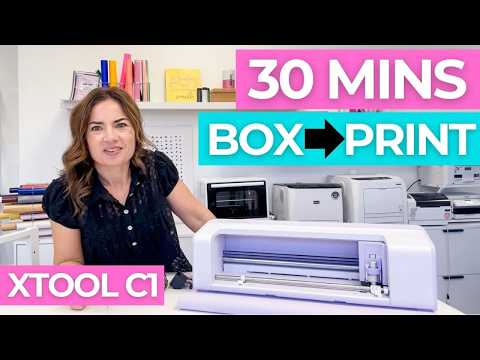
Video unavailable
Premieres in 14 days
Complete xTool C1 Setup: Ink Cartridge, Calibration, and Wi-Fi
Give yourself 30 minutes to Set Up the xTool C1 print and cut machine! 😍 I'm walking you through the entire xTool C1 setup in xTool Studio, from installing the ink cartridge and moisturizing pad to the blade pressure calibration, the automatic print calibrations, and connecting to Wi-Fi. There are two things you should never do by hand on this machine, and I'll show you both before you get to them. Plus the pop-up I got during calibration, and what I did about it. ✨ MORE INFO and IMPORTANT LINKS! 🖨️ Shop xTool C1 Amazon Supply List https://www.amazon.com/shop/silhouetteschool/photo/amzn1.shoppablemedia.v1.collage.ea650942-60a2-44fe-b626-86d1136cff90?ref_=aipsfphoto&tag=nemasco-20&originMarketplaceId=ATVPDKIKX0DER 💡 Need help with your xTool C1, xTool Studio, or any machine you see on this channel? Get personalized, same-day, one-on-one support from me inside Silhouette U: https://www.silhouetteu.com Use code YOUTUBE for 50% off when you join. ▶️ Subscribe so you don't miss the C1 print and cut tutorials: https://www.youtube.com/channel/UCaZAY89K6t0cOFNUN-9LXKw?sub_confirmation=1 🎥 Related tutorials: xTool C1: 11 Things That Surprised Me: https://youtu.be/Eu0PicQrinM xTool Studio for the O1 Omni: Do This NOW While You Wait for Shipping: https://youtu.be/b-GsbSnsK2M Everything we know about the xTool C1: https://youtu.be/lyxES3AS2yE xTool C1 Unboxing: What's in the Box (and Why the Mat Matters): https://youtu.be/DSuc0-uLHsQ How to Print and Cut with xTool O1 Omni (and What to Do When Calibration Fails): https://youtu.be/5tJXFRVdaxg How to Print and Cut with xTool O1 Omni (and What to Do When Calibration Fails): https://youtu.be/5tJXFRVdaxg Full xTool C1 Playlist: https://www.youtube.com/playlist?list=PLHAmSQNPb2Yg 0:00 xTool C1 initial setup 0:14 The power cord is frustratingly short 0:33 Give it 12 inches of clearance 1:19 Fold the cover back as the mat support 1:43 The single ink cartridge 2:18 Pen holder and tools still to come 3:03 The light grip mat 3:35 How to load the mat 4:12 Built-in registration marks 4:25 How to unload the mat (don't pull it) 4:55 Install the software and update firmware 5:13 Move the carriage from the software 5:36 Install the ink cartridge 7:04 Moisturizing cap and pad 8:57 Blade pressure calibration 10:07 Plan your cord setup 11:36 Peel the mat, not the paper 12:23 Second calibration (landscape) 13:07 "Possible hardware issue" pop-up 13:42 Automatic print calibrations 15:06 Bidirectional vs unidirectional printing 16:36 How loud is it? 17:29 Setup complete 17:52 Set up Wi-Fi 18:34 What the C1 can do 19:07 What do you want to see first? 19:25 One-on-one support #xTool #xToolC1 #printandcut
Suggested videos

UV Printer Ideas (With Amazon Supply Lists for Every Project)
Silhouette School with Melissa Viscount · 18:08
xTool C1 Ink Cartridge Maintenance (and Can You Cut Without It?)
Silhouette School with Melissa Viscount · 15:26
💠 How to Make Rhinestone Transfers with Silhouette or Cricut
Silhouette School with Melissa Viscount · 14:38

xTool C1: What to Know Before You Buy (Ink Cost, Bundles, Atomm)
Silhouette School with Melissa Viscount · 13:49
How to Trace by Color with One Click in Silhouette Studio (So Easy It's Stupid)
Silhouette School with Melissa Viscount · 3:09
xTool C1 Launch Live: What You Probably Missed
Silhouette School with Melissa Viscount · 17:34
xTool C1: 11 Things That Surprised Me
Silhouette School with Melissa Viscount · 15:57
First Silhouette CAMEO Print and Cut Tutorial for V5 (Big Changes)
Silhouette School with Melissa Viscount · 14:25
xTool C1: Everything We Know About xTool's New Print and Cut Machine
Silhouette School with Melissa Viscount · 6:18

😂 Silhouette School Bloopers 1.0 | Behind the Scenes Mic Test
Silhouette School with Melissa Viscount · 0:24
xTool C1 Unboxing: What's in the Box (and Why the Mat Matters)
Silhouette School with Melissa Viscount · 10:55
How to Setup Silhouette CAMEO 5: Start to Finish (And Ready for First Cut)
Silhouette School with Melissa Viscount · 13:01