
Video unavailable
This video can't be played right now.
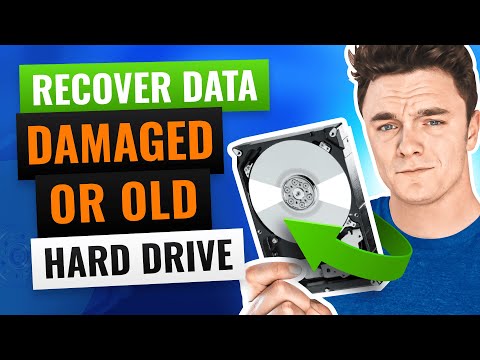
How to Get Data Off Damaged, Crashed or Old Hard Drive
Hard drive clicking, failed, or just too old to read? Learn how to recover files from a damaged, failed, or legacy hard drive - internal or external - using safe methods. ✅ Hard drive recovery software: https://www.cleverfiles.com/hard-drive-data-recovery.html *Chapters:* 00:00 Intro 00:31 Important precautions 01:04 Step 1: Examine the drive 04:09 Step 2: Recover data from the damaged / old drive 07:27 Wrap up When a hard drive crashes, it can be due to physical damage, file system corruption, failed connectors, or simply aging components. *⚠️ Two common causes of hard drive failure:* Physical damage or wear (clicking, not spinning, broken connector, bad sectors) File system corruption (drive turns RAW or unallocated, unreadable by OS) Before you try to recover data from a crashed hard drive, we strongly advise you to never open the drive yourself. If there are signs of mechanical failure or power issues, consult a professional. But if the drive powers on and mounts (even intermittently), you can often recover your data at home safely. 🛠️ Professional recovery services: https://www.cleverfiles.com/data-recovery-center.html *🔍 Diagnosing with S.M.A.R.T. Tools* Disk Drill and other tools (like CrystalDiskInfo) let you check your drive’s health via S.M.A.R.T. data. Watch for: * Reallocated sectors * Unreadable blocks * Pending failures These can signal serious issues. If detected, avoid further writes and work only from backups. *🛠️ Data Recovery Using Disk Drill for Windows* Disk Drill is a powerful yet user-friendly data recovery tool designed to handle a wide range of drive failures, whether you need to recover data from an old hard drive or the one being damaged. It allows you to: * Recover data from corrupted, RAW, unallocated, and formatted drives * Supports NTFS, FAT32, exFAT, HFS+, EXT, and more * Works with internal and external HDDs, SSDs, USBs, SD cards * Creates byte-to-byte backups to avoid further damage during scanning * Allows previewing recoverable files before restoration * Free on Windows for up to 500 MB of recovered data *🔄 Steps to Recover Data from a Damaged Hard Drive* 1. Download and install Disk Drill on a healthy PC https://www.cleverfiles.com/download.html 2. Connect your damaged drive (use a USB adapter if needed for internal or old IDE drives) 3. Launch Disk Drill → Go to Byte-to-Byte Backup → Select your drive → Click Create Backup 4. Once backup completes, go to Attach Disk Image → Load the backup 5. Select the mounted backup → Click Search for lost data 6. After the scan, click Review found items 7. Preview recoverable files (check quality and recoverability status) 8. Select files → Click Recover → Save to a different disk ℹ️ If you want to get more information and possible solutions for broken HDD data recovery, check out this article: https://www.cleverfiles.com/howto/crashed-hard-drive-recovery.html 🔴 RECOMMENDED VIDEOS 🎥 Recover data from a formatted disk: https://www.youtube.com/watch?v=hGPcGeVSPBE 🎥 Fix drive not detected: https://www.youtube.com/watch?v=YWSC-NTAkYE 🎥 Retrieve data from a RAW drive: https://www.youtube.com/watch?v=_e4D_2bu8LE #harddriverecovery
Suggested videos
Recover Files from SD Card (Deleted or Corrupted)
CleverFiles · 6:15
How To Recover Data from Old Hard Drives
Howfinity · 5:02

I Tested Dozens of Data Recovery Tools - 3 Best in 2026 🏆
CleverFiles · 6:20
How to recover data from a dead hard drive (Beginner Tutorial)
Cars And Cameras · 2:43
3 Ways to Recover External Hard Drive Without Formatting
CleverFiles · 6:40

4 Methods to Fix Corrupted Hard Drive on Windows 10/11
CleverFiles · 7:19

Recover Deleted Files with Disk Drill
CleverFiles · 1:19
How To Recover Data from Old Hard Drives - Unitek IDE & SATA Adapter
How To Do It Tech · 3:35
5 Best Data Recovery Software 🏆 Free & Pro Tested
CleverFiles · 5:42
How To Demolish An Old Hard Drive (And Keep Your Data Safe) | NBC News
NBC News · 3:32

3 Ways to Recover Deleted Photos from iPhone
CleverFiles · 6:51
Don't Waste $1000 on Data Recovery
Linus Tech Tips · 23:22