
MediaMe Collage
Engage students in reflection & goal setting with the Media Me templates. This video shows you (and students) how to upload the template and use it for reflection and goal setting in the popular app PicCollge. 🤗 Grab the Media Me print & digital templates here: https://vr2ltch.com/product/k-5-library-goal-setting-bundle/ 📚 Read how & I why use Media Me in my library here: https://vr2ltch.com/media-me/ 📚 Read how I use PicCollage here: https://vr2ltch.com/5-ways-to-use-piccolage-today/ 🎓 Grab the EdTechGuide for Busy Educators here: https://vr2ltch.com/guide/ 📲Download PicCollage EDU here: https://apps.apple.com/us/app/piccollage-edu-collage-maker/id977081997 🔗🔗🔗 LET’S CONNECT 🔗🔗🔗 🖥 Website - https://www.vr2ltch.com 🖥 Instagram - https://www.instagram.com/vr2ltch 🖥 Facebook - https://www.facebook.com/vr2ltch 🖥 Twitter - https://www.twitter.com/vr2ltch 🖥 Pinterest - https://www.pinterest.com/vr2ltch #goalsetting #hopesandgoals #studentreflection #librarygoals #edtechtips #edtech #medialiteracy
Suggested videos
Digital Bathroom Pass
vr2ltch · 4:06
How I Make My Collage Medium
Tanya McGuire · 6:01
Confidential Reporting
vr2ltch · 5:15
Artist Austin Eddy On Using Matte Medium As A Collage Adhesive | Liquitex
Liquitex Official · 0:34
What I Do In A Day
vr2ltch · 3:53
Tim Holtz Shares How to Use Distress Collage Medium at Scrapbook.com
Scrapbook.com · 7:56

Writing In-Text Citations Activity
vr2ltch · 0:58

How to make collage | IN THE STUDIO
The Museum of Modern Art · 20:56
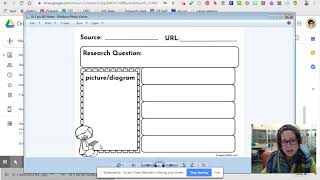
Choosing a NoteTaking Sheet
vr2ltch · 1:25
Distress Collage Medium pot or Fine tipped bottle Review
AIG Product Reviews · 1:57

Gr 3 - Make a Claim
vr2ltch · 1:49
How to do Newspaper Collage using Acrylic Gloss Medium
Stephen Franklin · 1:53