
How to Use Templates in Apple Notes
✨ If you’ve ever wished Apple Notes had built-in templates… you’re not alone 😅 In this video, I’m sharing simple workarounds to create your own templates inside Apple Notes—even though the feature doesn’t officially exist (yet?). These methods are easy, practical, and actually work day-to-day. What you’ll learn: • How to duplicate notes to reuse templates quickly • Organizing templates with folders, tags, and smart folders • Pinning templates for quick access • How the Shortcuts app can automate templates (with some limitations) Plus, I’ll be making a future video going deeper into Shortcuts automation, so stay tuned 👀 🍿🎥 WATCH NEXT: https://youtu.be/nC23VisKTTg?si=ZhaLu3br3-FjOCaY https://youtu.be/ofafVPCIRyg?si=pZcLgNUJCNN8QDrn 📍🫶🏻 MEMBERSHIP: please consider joining the channel membership here: https://www.youtube.com/channel/UCaC5l_V5iu3KFojuVDhGY_g/join 👋🏻📱 SOCIALS: subscribe: https://www.youtube.com/channel/UCaC5l_V5iu3KFojuVDhGY_g instagram: https://www.instagram.com/_brooketierney_/ X (twitter): https://twitter.com/_brooketierney_ 👉🏻🤩 MY FAVOURITES: 🇺🇸 https://www.amazon.com/shop/brooketierney 🇨🇦 https://www.amazon.ca/shop/brooketierney 🤓🎥 VIDEO GEAR: 🇺🇸 https://www.amazon.com/shop/brooketierney/list/3K87NNVA671DP?ref_=aipsflist 🇨🇦 https://www.amazon.ca/shop/brooketierney/list/1DC4PI4RBK1MW?ref_=aipsflist 🎵 MUSIC (free trial): https://share.epidemicsound.com/4kp4cq 0:00 intro 0:30 method 1: duplicate 2:00 tags 2:41 smart folders 3:12 templates folder 3:36 method 2: shortcuts app 8:17 method 3: shortcut w/ checklist 11:32 running shortcuts 13:03 other ways? DISCLAIMER: Links included in this description might be affiliate links. If you purchase a product or service with the links provided, I may receive a small commission at NO additional charge to you. Thank you so much for supporting my channel!
Suggested videos
iPhone Duo Is Annoying Until You Do This
brooke tierney · 16:06

How To Create Reusable Templates In Apple Notes - Full Guide
Think Tutorial · 1:30

Setting Up a New iPhone? Do THIS to Transfer Everything! (including eSIM!)
brooke tierney · 16:31
Apple Notes Templates Change Everything
The MacWhisperer · 27:11
Ultimate iPad Buying Guide 2026 (Don’t Waste Your Money)
brooke tierney · 15:10
Save Hours Every Week with Apple Notes Templates
Tekky Tutor · 6:21
It's Finally Here... Apple's First Folding iPhone!
brooke tierney · 11:24
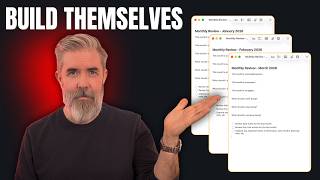
Apple Notes Templates That Build Themselves (3 Methods)
John Lenaghan · 15:44

The New iPhone Duo: Everything You Need to Know (and what Apple didn't say)
brooke tierney · 13:18
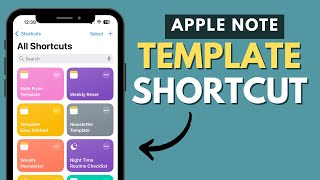
Apple Note Templates You Can Reuse with 1 Tap
The Joy of Adulting · 5:27
iPhone Tips and Tricks That Will Blow Your Mind!
brooke tierney · 12:05
Never Start from Scratch Again: Mastering Templates in Apple Notes
New Perspectives · 9:34