
Laser Cut LAYERED SIGNS Simplified, Rowmark Is a GAME CHANGER!!! (Part 1, Materials and Assembly)
Get ready to dive into the exciting world of Rowmark Plastic signage! In this video, we're showcasing a SOLD sign for a real estate agent, but trust me, that's just the beginning when it comes to what you can create with Rowmark Plastic. So watch with an open mind about what you can create using Rowmark. You can use layers to expand your design possibilities even further! But here's what really sets Rowmark apart: it's super fast and ridiculously easy to work with. No more messing around with wood, spray paint, or glue(when you order with adhesive, oops). Plus, with the ability to turn out signs in as little as a day (or even a few hours!), you'll be turning a profit in no time. So whether you're a full time laser engraver, looking to make some side money, or just someone who likes DIY projects, Rowmark Plastic is your ticket to sign making success. If you want to see how I designed this sign in Lightburn and what settings I used make sure to check out part two of this video. https://youtu.be/0B4wCbGBd6M Get 15% off at Johnson Plastic Plus by entering the code ANA-VCU (some exclusions apply) https://bit.ly/3TmWUrI Go follow me on Instagram to see more of my projects... https://www.instagram.com/wyldewillowwoodworks/ ********************************************************************************** Products used to make the sign in this video ROWMARK’S THE NATURALS ENGRAVING PLASTIC BARNWOOD GREY/WHITE https://www.jpplus.com/rowmark-s-the-naturals-engraving-plastic?sku=TN942162-QTR ROWMARK ADA ALTERNATIVE ENGRAVING PLASTIC BRIGHT WHITE, BLACK, BAHAMA BLUE https://www.jpplus.com/rowmark-ada-alternative-engraving-plastic?sku=311509-QTR ROWMARK ULTRAGRAVE® ENGRAVING PLASTIC WHITE/BLACK https://www.jpplus.com/rowmark-ultragrave-engraving-plastic?sku=UG922204-QTR ********************************************************************************** The links below are affiliate links. If you use this link for a purchase, I will receive a commission from the purchase. I truly appreciate when you use these links as it helps support my channel. xTool D1 Pro 20W... https://www.xtool.com/products/portable-diode-laserbox-d1-for-laser-engraving-laser-cutting?ref=t1meqx3f&utm_medium=5306&utm_source=influencer xTool S1 40W... https://www.xtool.com/products/xtool-s1-laser-cutter?ref=t1meqx3f&utm_medium=5306&utm_source=influencer ****************************************************************************************** (Using laser can be dangerous. Never leave a laser unattended. Always use your laser safety glasses. Always follow manufacturers directions for your laser)
Suggested videos
Mastering Tri-Layer Acrylic Hat Patches: Full Walkthrough
WyldeWillow · 22:37

Laser Cut LAYERED SIGNS Simplified, Rowmark Is a GAME CHANGER!!!! (Part 2, Lightburn Tutorial)
WyldeWillow · 36:06
Laser Cut Hat Patches. Utilizing Shading and Multicolor Techniques. Leather, Leatherette and Acrylic
WyldeWillow · 12:40
Laser Sign 101: Tips & Tricks for Layered Signs, Sales Ideas, Free Files, & More
Six Eight Woodworks · 28:09
Mastering Material Tests in LightBurn: Complete Guide for Perfect Laser Settings
WyldeWillow · 14:07
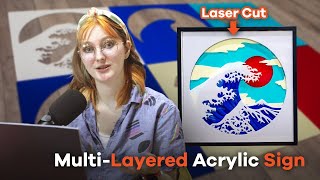
How to Laser Cut Multi-Layered Acrylic Sign
AP Lazer · 3:20

My Top Four Laser Blanks That Sell
WyldeWillow · 10:06
Rowmark Foils - add shine to your signs
Rowmark Australia · 2:35

Complete Guide To Pressing Laser Cut Acrylic Hat Patches
WyldeWillow · 15:11

QuickShot! NEW Rowmark Tri Layer Settings for Thunder Laser BOLT. 047 4K
Laser NUG · 8:18

How to Add Value to Signs with MDF Layers
WyldeWillow · 12:33

Bethel University Custom Laser Cut Acrylic Sign / Making Custom Acrylic Signs with Thunder Nova 51
Small Town Laser Creations · 1:34