
Your iPhone Installed An App WITHOUT Your Permission - Delete It Now!
Apple installs the Journal app on your iPhone, often puts it back with each iOS update, and it can reach a lot of your personal data. Journaling Suggestions can draw on your workouts, music and podcasts, contacts, photos, significant locations and state of mind. Turning those off, clearing its history, cutting its location and Health access and resetting its identifier keeps that data private, and you can delete the Journal app if you never use it. The App Privacy Report then shows which other apps reach your data and sensors and which ones contact outside domains the most, so you can turn off camera or microphone access or swap an app for its website. Shown on an iPhone, and the same settings are on any recent iPhone. 0:00 Journal App Privacy Fix 0:18 Cut Journal's Data Access 1:39 Block Location And Health 2:35 Wipe Data Sent To Apple 3:16 Remove Journal For Good 3:35 Find Apps Using Your Data 5:06 Turn Off An App's Access 5:33 Spot Apps That Track You I hope this video helped you. If it did, the best way you can say thank you is to hit the like and subscribe button :) My name is Trevor Nace, and I've been making tech tutorials for years, focusing on helping you solve your "how to" problems on iPhone, Android, iPad, Mac, and PC. So whether you're on a phone or computer and you run into an issue, I hope this video helped you. If you're still having trouble, leave a comment below or go to my channel page and send me an email directly. I look forward to hearing from you!
Suggested videos

Your iPhone Has A Legit Scanner!
Trevor Nace · 5:31

Your iPhone Installed An App Without Your Permission – Delete It Now!
Tap Torial · 3:10

How To Block Ads On iPhone (Yes Really!)
Trevor Nace · 4:23
Apple Installed An App WITHOUT Your Permission - Delete It Now
Zee Tech iOS · 7:20
WiFi Calling Explained: Why You Should Turn It On
Trevor Nace · 5:20

Your iPhone Installed An App Without Your Permission - Delete It Now!
TheAllbudget · 2:45
Stop This Secret Android App Right Now! It's Tracking You
Trevor's Android · 6:38

How To Remove Uninstalled Apps From App Store
Trevor Nace · 2:05
iPhone Users: Your Phone Is Always Listening (Turn This Off Immediately!)
Trevor Nace · 13:57

How To Fix Can't Delete Apps On iPhone - Full Guide
GuideRealm · 1:12
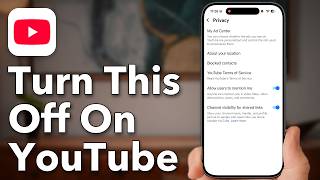
Everyone Who Watches YouTube, Turn This Off
Trevor Nace · 5:05

How to Stop Kids From Downloading / Installing Apps on iPhone iOS 14 / iPhone 12/11/10/9/8/7
ITJungles · 2:10