
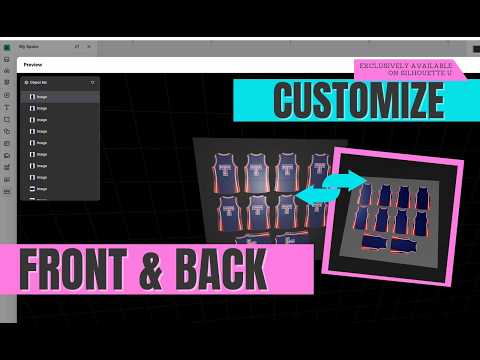
Video unavailable
Join this channel to get access to members-only content like this video, and other exclusive perks.
How to Set Up Double Sided UV Printing on Clear Acrylic | xTool Studio
Double Sided UV Printing on Clear Acrylic - Different Design Front and Back | xTool Studio Want a different design on the front and back of clear acrylic without mirrored text? In Part 2 of this homework series, I set up a full 12 x 12 sheet of custom acrylic blanks for double-sided UV printing in xTool Studio. The preview will lie to you if you miss one small step - and most people do. Get the ink order wrong and the back of your piece won’t look anything like you planned. This video is YouTube members-only - but you’re missing out on SO much more as a full Silhouette U Member https://www.silhouetteu.com ✅ YouTube membership = videos only. 🤯 Full Silhouette U Members https://silhouetteu.com Get ALL This ⤵️ 🔥 SAME-DAY Personalized SUPPORT Private priority email inbox - stop waiting for answers, get same day help Live 1:1 Chat Help & Troubleshooting with Melissa Live Q&A sessions - Get help in real-time 💰 EXCLUSIVE MONEY-SAVING TOOLS Advanced pricing calculators - price your projects right and maximize profits Up to $14.99 in FREE commercial use files from So Fontsy every month Member-only discounts on equipment, supplies, and partner deals 📚 BONUS CONTENT YOU CAN’T GET ANYWHERE ELSE Curated Courses by Topic - Learn in logical, progressive order on a variety of topics Full Access to the Silhouette U Video Library Discounts on Exclusive ebooks + Free Mini Guides 👥 COMMUNITY & SUPPORT Private Facebook group Monthly member-only giveaways 💥 The bottom line: Other services leave you waiting days for help. YouTube gives you videos but no support when you’re stuck at 2am with a project deadline. 👏 Full Silhouette U at https://SilhouetteU.com gives you EVERYTHING - the videos, the tools, the community, AND the personalized support you actually need. Ready to stop struggling alone? 👉 Upgrade to full Silhouette U at: https://silhouetteu.com 0:00 Where Part 1 left off 1:21 Flatbed mode and the clear acrylic setting 2:00 Scanning the bed 2:22 Bringing in the P2 cut file 3:23 Building the mask 5:21 Fixing a design that’s slightly off 7:04 Cropping the logo 8:21 How many layers of color and white 8:43 Why the preview looks wrong 11:05 Ink order for the first layer 12:04 Setting up the second layer 13:23 Prepping to personalize 15:21 Coming up in Part 3 #UVPrinting #xToolStudio #ClearAcrylic
Suggested videos
How to Make Double Sided UV DTF Stickers | EufyMake UV Printer Tutorial
Ashlee Falco · 21:09

UV Printer Ideas (With Amazon Supply Lists for Every Project)
Silhouette School with Melissa Viscount · 18:08

Easy Double-Sided Printing Trick with UV Printer!
Maker Experiment · 4:51
💠 How to Make Rhinestone Transfers with Silhouette or Cricut
Silhouette School with Melissa Viscount · 14:38
UV Printing on Acrylic with the xTool Omni: Clear, Black, White and Mirror
Silhouette School with Melissa Viscount · 12:01
How to Trace by Color with One Click in Silhouette Studio (So Easy It's Stupid)
Silhouette School with Melissa Viscount · 3:09

Deer in the Woods | Double-Sided UV Printed Acrylic Ornament (xTool O1 Omni + P2)
A Crafting Couple · 3:13
First Silhouette CAMEO Print and Cut Tutorial for V5 (Big Changes)
Silhouette School with Melissa Viscount · 14:25
Acrylic Reverse Printing with the xTool Omni: How to Print on the Back of Clear Acrylic
Silhouette School with Melissa Viscount · 10:49
xTool C1 Launch Live: What You Probably Missed
Silhouette School with Melissa Viscount · 17:34

UV Printer Graphic Design - 4 | How to print double-sided color?
Giftec Digital Printer (Single Pass, UV DTF) · 2:09
Beginner Silhouette Cameo 4 Print and Cut Tutorial (Free Design Download)
Silhouette School with Melissa Viscount · 11:58