
Enhance Your Cricut Text with these 6 Font Hacks | Cricut Design Space Font Hacks
In this video you will learn a number of different ways to add personality to your text using some fun font hacks in Cricut Design Space. This Design Space tutorial is perfect for new and seasoned Cricut users. You will learn how to make fonts thicker, how to curve fonts, how to warp fonts, how to use monogram maker and how to outline fonts. The possibilities are endless with these fun font hacks. Time Stamps: 00:00 Make Fonts Thicker 01:48 Kern Fonts 05:57 Curve Fonts 06:48 Warp Fonts 08:54 Monogram Maker 11:40 Outline Text What to watch next: How To Use Glyphs: https://youtu.be/yOZ_l0OmUPg Knockout Text: https://youtu.be/ipLtmIyQByE Write with Pens: https://youtu.be/nq5Qw28YXYI Some of the links below are affiliate links, meaning I may make a small commission from your purchase. This helps me continue to create free content for you to enjoy! Fonts in this video: Bumble Bee (Font Bundles): https://fontbundles.net/sunkissedminimalist/254185-bumble-bee?ref=ncSCqi P.S. (Cricut Font - under Cursive Fonts) Cake N Truffle (Dafont): https://www.dafont.com/search.php?q=cake+n Annlie Extra Bold (Cricut Font) Big Bottom Cartoon (Dafont): https://www.dafont.com/search.php?q=big+bottom Purchase Cricut Access Here: https://cricut.pxf.io/9gPo40 Shop my favourites: Cricut: https://cricut.pxf.io/Ao625j Teckwrap: https://teckwrapcraftaffiliateprogram.sjv.io/217n1G HTVRONT: https://tidd.ly/3Xk4x3v WeCreat Laser: https://wecreattechltd.pxf.io/mOm2jO Vinly & Tulle Supply: https://vinylandtullesupply.com/collections/vts-super-pop-700-heat-transfer-vinyl-super-pop-htv-3d-vinyl-thick-vinyl-rubber-feel?ref=craftnest Amazon StoreFront (USA): https://www.amazon.com/shop/littlecraftnest Amazon StoreFront (Canada): https://www.amazon.ca/shop/littlecraftnest As an Amazon Associate I earn from qualifying purchases. 🌸 CHECK OUT MY WEBSITE 🌸 https://www.littlecraftnest.com 🌼 FIND ME ON SOCIAL 🌼 Facebook https://www.facebook.com/littlecraftnest TikTok https://vm.tiktok.com/ZM8SUT9gj/ Instagram https://www.instagram.com/littlecraft... Pinterest https://pin.it/75jcKAS Disclaimer: https://www.littlecraftnest.com/disclaimer
Suggested videos
xTool C1 vs Cricut Maker 5: Is It Time to Switch?
Little CRAFT Nest · 18:33
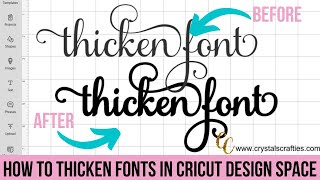
How to Thicken Fonts in Cricut Design Space
Crystal's Crafties · 5:02

Cricut Design Space Masterclass 2026 | Full Walkthrough Of Every Feature! Including First Projects
Little CRAFT Nest · 1:16:09
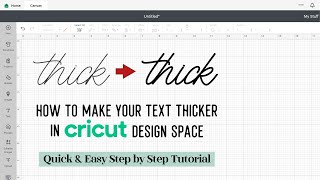
How To Make Text Thicker in Cricut Design Space - How To Thicken A Font In Design Space
Craft & Design Tuts · 1:09
Cricut Hack | Free Fonts To Use As Writing Fonts In Cricut Design Space | Crafting Spree Tutorial
Crafting Spree · 7:12

Hidden Features and Design Hacks in Cricut Design Space that will get you crafting like a Pro!
Little CRAFT Nest · 25:48
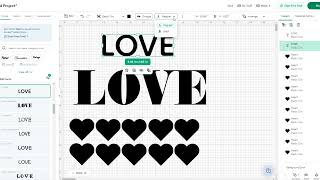
Cricut Design Space tip for additional font options including bold & italicized fonts #designspace
Craft Lovers Emporium · 0:32

Cricut Labels Made Easy - Get Organized for the New Year | Beginner Friendly Tutorial
Little CRAFT Nest · 13:11
🔤 Font Tips for Cricut Design Space 2022
Design Bundles · 26:02
Can the eufyMake E1 UV Printer Make the Ultimate Christmas Gift?
Little CRAFT Nest · 10:45
Perfect Font Every Time - Craft Project Guide #fonts #glyphs #cricut
Crafting With Delonda® · 29:46
Trending Split Image Design in Cricut Design Space
Little CRAFT Nest · 11:13