
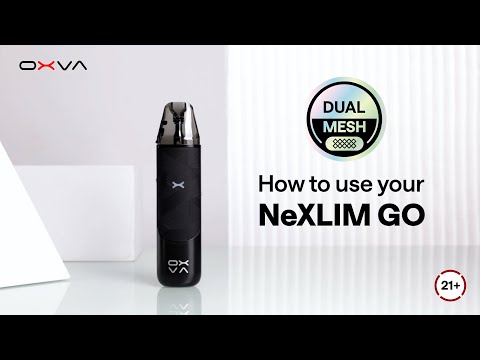
Video unavailable
This video may be inappropriate for some users.
How to Use NeXLIM GO | Operation & LED Light Indicator Guide
Learn how to set up and use your NeXLIM GO with this tutorial video. We’ll cover everything you need to get started! ① Basic Operation Guide 1️⃣ Unbox your device, fill the pod, and wait 5 minutes 2️⃣ Adjust airflow & mode, then enjoy 3️⃣ Slide to switch modes as you like ② LED Light Indicator Guide Mode Change: Colorful light flashes in Boost Mode Battery Indicator: 🟢 Green = 65%–100% 🔵 Blue = 30%–65% 🔴 Red = 0%–30% Protections: Over 8s puff = Blue light flashes ×3 High temp = Red light flashes ×5 Low battery = Red light flashes ×10 Short circuit = Red light flashes ×3 With NeXLIM GO, using dual mesh technology has never been this simple! Hottest Products: NeXLIM GO: https://youtu.be/815Ad8wBCLA XLIM PRO 2 DNA Version: https://youtu.be/s6EYSKg5mwk XLIM SQ PRO 2: https://youtu.be/jxEE-hGi870 XLIM PRO2: https://youtu.be/GAGDeECDR2w NeXLIM: https://youtu.be/kJYylKNPs3Q More info : Instagram: https://www.instagram.com/oxva.official/ Facebook: https://www.facebook.com/oxva.official/ TikTok: https://www.tiktok.com/@oxva.official Website: www.oxva.com Contact us: Support@oxva.com PS: This is OXVA's 2nd official YouTube channel for community content. 👉 For official launches, full product details, and brand stories, visit our main channel: https://www.youtube.com/@UC8wecJUrx1tmKJ_Z8YQAjmQ
Suggested videos
OXVA Tutorial How to Use Your NeXLIM GO
OXVA STORE · 1:14
Unboxing OXVA XLIM PRO 4 | ABT Anti-Burn Tech
OXVA Global · 0:56

OXVA NeXLiM GO
Mike Vapes · 5:26

OXVA Tutorial: Using XLIM Cartridges | 3ml Pod Update
OXVA Global · 0:45
OXVA NeXLIM GO pod vape kit guide
Evapo Hub · 1:59
Unboxing OXVA XLIM 4 | Sleek Design, 3-Level Power
OXVA Global · 0:45
NeXLIM GO Usage Guide | Boost vs Eco Mode Tips
OXVA Official · 1:09
How to Use the OXVA XLIM GO 2 | Operation & LED Indicator Guide
OXVA Global · 0:48

Nexlim GO... It Might Be A Yes From Me
GrimmGreen · 4:46
XLIM 3 ULTRA Touch Screen Guide | Official OXVA Tutorial
OXVA Global · 2:02

Nexlim Go - Best of the budget pods? Review & Tutorial
Vaping Bogan · 8:22

OXVA XLIM Top Fill Cartridge | Top Refill just in one step!
OXVA Global · 0:16