
Claude Code Full Course: Zero to Pro in One Hour
This Claude Code tutorial takes you from install to a live deployed app, with no coding background needed. I'm a senior engineer (ex-Amazon, ex-Microsoft) who builds my startup bookzero.ai entirely with Claude Code. Key takeaways: - Install Claude Code, then pick your setup: desktop app vs IDE - Permission modes, plan mode, and /goal to clone a real app - Skills, CLAUDE.md, and the .claude / .agents file structure - Context rot, /compact, and the slash commands that actually matter - Git & GitHub, MCP vs CLI tools, and deploying live on Vercel - Honest answers on usage limits and what the $20 plan really gets you 🔗 Join our Skool community: https://www.skool.com/erictech/about 🔗 Check out bookzero.ai — AI-powered bookkeeping built entirely with Claude Code 🔗 Statusbar FREE Download: https://free.erictech.ca/claude-code-status-line Timestamps: 0:00 Intro 1:48 Install Claude Code 2:43 Desktop vs IDE 6:53 Quick Demo 8:40 First Prompt 11:04 Permission Modes 14:16 Plan Mode 14:57 /goal (Clone App) 22:45 First Result 23:44 Skills Explained 27:26 Find Skills 29:21 Installing Skills 30:26 Redesign UI 32:26 Vercel Skill 34:04 File Structure 39:06 .claude & .agents 41:54 Claude.md 43:50 /context 45:47 Context Rot 47:13 /compact 48:21 Slash Commands 49:30 /model 50:17 /rewind 51:08 /plugins 52:35 Git & GitHub 55:45 Add Repository 59:49 Commit Changes 1:02:05 MCP Explained 1:04:30 CLI vs MCP 1:06:22 Vercel Deploy 1:11:12 FAQ 1:15:28 Usage Limits 1:19:50 Wrap Up #claudecode #aitools #softwaredevelopment
Suggested videos

Claude Code: The Complete AI-Native SDLC Guide
Eric Tech · 21:03

CLAUDE CODE FULL COURSE 4 HOURS: Build & Sell (2026)
Nick Saraev · 4:10:43

TUBIMENYE NA ERIC TECH
BTN TV Rwanda · 53:47

Claude Code for Non-Coders (6 Hour Course)
Nate Herk | AI Automation · 5:59:00

40 Cutest & Scariest Robots I Saw at CES 2026 (Best AND Worst!)
Eric’s Tech World · 17:58

Claude Code Full Course 2026 | How Senior Engineers Actually Build with AI
JavaScript Mastery · 2:13:40

Emo, Eiliko, LOOI, & MORE Finally Meet! (ROBOT PARTY + UPDATES)
Eric’s Tech World · 17:24

CLAUDE CODE FULL COURSE 12 HOURS: Build Real AI Projects (2026)
Mayank Aggarwal · 13:53:47
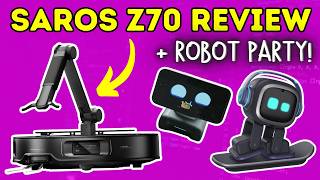
Roborock Saros Z70 Full Review + Robot Party w/ EMO & LOOI!
Eric’s Tech World · 10:02

FULL Claude Course for Beginners in 2026! (Become a PRO!)
AI Master · 1:44:53

Emo, Looi, Loona & More Take a Back To School Quiz! (ROBOT PARTY)
Eric’s Tech World · 20:15

FULL Claude Tutorial For Beginners in 2026! (FULL COURSE)
Productive Dude · 1:52:38