
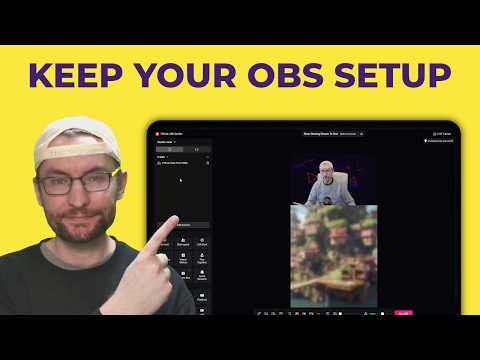
Video unavailable
This video can't be played right now.
How To Send OBS Audio And Video To TikTok LIVE Studio - Virtual Cam and Audio Cable Tutorial
In this video guide, we send all our OBS audio, including headset and microphone, into TikTok LIVE Studio. We also send all video. This means you don't have to bother setting up LIVE Studio! 🔴 *Maximise Your Success* Patreon - Join the Live Success Academy ►► https://toktutorials.com/academy Widgets and games ►► https://toktutorials.com/widgets-and-games Get a FREE stream key ►► https://www.toktutorials.com/stream-key Join the Discord ►► https://toktutorials.com/discord Free newsletter (news + growth) ►► https://toktutorials.com/join 🔗 *Links from the video* OBS ►► https://obsproject.com/ Aitum Vertical ►► https://aitum.tv/vertical/ Aitum Multi ►► https://aitum.tv/products/multi VB-CABLE ►► https://vb-audio.com/Cable/ Full virtual-camera guide ►► https://www.youtube.com/watch?v=2_-sSaAe4fk Full Aitum Vertical guide ►► https://www.youtube.com/watch?v=TWeFU10y-3A Written virtual-camera guide ►► https://www.toktutorials.com/post/how-to-use-obs-features-in-tiktok-live-studio-virtual-camera-tutorial 🌎 *Other links* Other socials, products and services ►► https://toktutorials.com/linktree Blog post ►► https://www.toktutorials.com/post/send-obs-to-tiktok-live-studio-video-audio Music from StreamBeats ►► https://toktutorials.com/streambeats Business email ►► teamwgmojo@gmail.com Send your existing OBS scenes, microphone, desktop audio and alerts into TikTok LIVE Studio using Aitum Vertical and VB-CABLE. This Windows walkthrough covers the combined landscape/portrait virtual camera, cropping in LIVE Studio, OBS monitoring, CABLE Input → CABLE Output, duplicate-audio prevention and local recording tests. DOWNLOADS OBS ►► https://obsproject.com/ Aitum Vertical ►► https://aitum.tv/vertical/ Aitum Multi (optional for OBS multistreaming) ►► https://aitum.tv/products/multi VB-CABLE ►► https://vb-audio.com/Cable/ LONGER GUIDES Full virtual-camera guide ►► https://www.youtube.com/watch?v=2_-sSaAe4fk Full Aitum Vertical guide ►► https://www.youtube.com/watch?v=TWeFU10y-3A AUDIO ROUTING Select Monitoring Enabled for each OBS source you want to send to LIVE Studio. Keep the source's output unmuted and the appropriate audio track selected to retain sound in OBS's own output too. OBS sends into CABLE Input. LIVE Studio receives CABLE Output as a microphone device. Turn off duplicate LIVE Studio mic/system captures and disable noise suppression and echo cancellation on the finished cable mix. Virtual-camera access depends on the requirements shown on your TikTok account; the streaming-history example in the video is not a guaranteed unlock rule. Record a short test in both apps and listen back before going live. #TikTokLIVE #OBS #LIVEStudio Timestamps: 0:00 Intro 0:08 Downloads: Aitum Multi, Vertical and VB-Audio Cable 1:12 Start the OBS virtual camera 1:58 Crop and fit it in LIVE Studio 2:28 OBS audio settings and monitoring device 3:20 Advanced Audio Properties 3:51 LIVE Studio audio mixer setup 4:45 Check audio and video side by side 5:22 Test recording before going live 5:48 Full OBS tutorial and stream key
Suggested videos
How To Set Up TikTok LIVE Studio (2026) - Complete Tutorial For Beginners
TT LIVE With Harry · 29:37
Viewers Control ANY TikTok LIVE Game - Complete Tutorial For Beginners (2026)
TT LIVE With Harry · 9:21
How To Go LIVE With TikTok Shop From A PC or Mac - Complete Beginners Tutorial For Shop LIVE Manager
TT LIVE With Harry · 31:41
How To Set Up TikFinity (2026) - Complete Tutorial For Beginners
TT LIVE With Harry · 59:40

Complete TikFinity Setup - 2024 TikTok LIVE Alerts (Gifts, Follows, Subs, TTS and more)
TT LIVE With Harry · 33:33
How To Make An Interactive Sleep Stream On TikTok LIVE
TT LIVE With Harry · 48:54
This Minecraft Plugin Changes EVERYTHING - Complete TikFinity TikTok LIVE Tutorial
TT LIVE With Harry · 27:44
How To Get Your TikTok LIVE Stream Key (2026)
TT LIVE With Harry · 3:31