
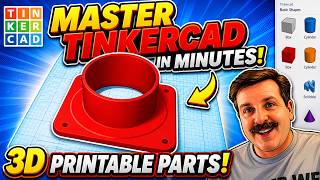
Design custom 3D printed parts - Learn Tinkercad in under 20 minutes
Check out my 2nd channel, TT Racing: https://www.youtube.com/@TTRacingYT Unlock your 3D printer by learning to design your own custom parts. In this video, I take you through the bestchoice for beginners: Tinkercad. It’s free and easy enough to learn in under twenty minutes. https://www.tinkercad.com/ 0:00 Introduction Onshape CAD playlist: https://www.youtube.com/playlist?list=PLGqRUdq5ULsONnjEEPeBxxStEsobDKAtV 0:56 What is TinkerCAD? 2:02 Basic operation 3:54 Grouping and negative shapes 5:47 Scribble tool 6:49 Attaining accuracy 10:07 New sketch tool 13:23 Ready for 3D printing checklist “building the brick house..” image by digitearte: https://www.flickr.com/photos/46849036@N02/32594879734/ 15:54 Limitations 18:18 Conclusion Buy quality and affordable filament from www.x3d.com.au . Viewers get 5% off all X3D filaments and accessories with code T-Tech5 Get Quality Resins from 3D Printers Online. 5% off storewide for Teaching Tech subscribers [Code: tech5] https://3dprintersonline.com.au/ Take a look around and if you like what you see, please subscribe. Support me on Patreon: http://www.patreon.com/teachingtech
Suggested videos

Calibrating for Shrinkage is a 3D printer process most ignore
Teaching Tech · 11:17

Learn TinkerCAD in ONE Video — From Zero to Your First 3D Print
Print N Repeat · 14:42

Your First 3D Design in 30 Minutes with Tinkercad
Ty Ridings · 30:37
3D printed fractal vise - The coolest tool you didn't know you needed
Teaching Tech · 15:27

Best Tinkercad Tutorial 2024! 🏆 Essential Tips For 3D Printing Success
Planet 3DP · 15:20
Tool holder using Onshape sketches and extrusion - 3D design for 3D printing pt2
Teaching Tech · 14:48

5 Tips to start designing your own 3D printed parts - Tinkercad
Teaching Tech · 10:37

The current market for 3D printers is frustrating
Teaching Tech · 16:18
TinkerCAD - Tutorial for Beginners in 9 MINUTES! [ COMPLETE ]
Skills Factory · 9:47
Rat Rig V-core 3 part 2 - Kinematic bed and EVA carriage system
Teaching Tech · 16:31
Make useful parts for 3d printing FAST using Tinkercad
HL ModTech · 9:05

Parts that fit odd shaped objects - 3D design for 3D printing pt4
Teaching Tech · 15:40