
How to Create a Knowledge Base in SharePoint (First Look)
Full write-up: https://www.danielanderson.io/articles/sharepoint-knowledge-base-getting-started/ Knowledge bases have just landed in SharePoint, and this is a first hands-on look at how to create one. I walk through creating a blank knowledge base, building pages by hand, linking pages wiki-style, and importing a whole folder of markdown files (84 pages in one go). Then we look under the hood: it's a special document library full of .md files, with page properties like tags, descriptions and sources stored in each file's frontmatter. Built for people to read and for Copilot and agents to ground on. This is an early look. Knowledge bases are in Frontier preview, so menus, options and behaviour will likely change before general availability. In this video: - The ways to create a knowledge base: blank, import markdown, Confluence or classic SharePoint wikis - Adding pages, the visual and source (markdown) editors, version history - Wiki-style linking between pages - Importing a folder of markdown files, one folder or a whole structure at once - Page properties (tags, descriptions, sources) and how they land in the frontmatter This is video one of a series on SharePoint knowledge bases. Subscribe to my newsletter at https://danielanderson.io so you don't miss the next one, and follow me on LinkedIn for more on SharePoint, Copilot and agents: https://www.linkedin.com/in/danielando/ Microsoft's announcement: https://techcommunity.microsoft.com/blog/SPBlog/introducing-a-team-knowledge-base-curated-by-copilot-and-agents/4564203 Getting started guide: https://support.microsoft.com/en-us/sharepoint/knowledge-base/get-started-with-sharepoint-knowledge-base 00:00 Knowledge bases in SharePoint 00:25 Ways to create a knowledge base 01:05 Creating a blank knowledge base 01:30 Getting started page and homepage 02:00 Adding pages and the editor 03:00 Page contents, version history and source editor 03:30 Under the hood: a library of markdown files 04:30 Linking pages wiki-style 05:30 Importing a folder of markdown files 07:40 Importing a whole knowledge base (84 pages) 08:30 Page properties: tags, descriptions and sources 09:50 Properties in the frontmatter 11:50 What's next in the series
Suggested videos

Building a SharePoint Knowledge Base: The Ultimate Guide
SharePoint Dougie · 40:04

I Built a SharePoint Asset Register App with Copilot (No Code)
Daniel Anderson · 15:46

SharePoint HTML Views: I Built an App Inside a Document Library (No Code)
Daniel Anderson · 29:43

How to create a Knowledge Base in SharePoint
SharePoint Maven · 1:07:53

Your SharePoint List Can Be an App Now (HTML List Views)
Daniel Anderson · 11:26

How to Create a SharePoint Knowledge Base
Origami Software · 13:54
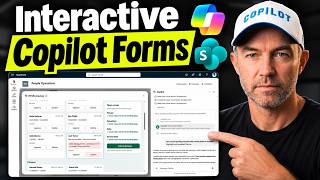
Interactive Forms in SharePoint with Copilot (Build Once, Reuse as a Skill)
Daniel Anderson · 11:30

How to Create a Knowledge Base in SharePoint (Step by Step)
Answer ASAP · 2:29

Daniel Anderson & Heroic Dose - Miss Maybelle (live)
danielmakesnoise · 4:38

How To Create A Knowledge Base In SharePoint [2026 Guide]
Level Up with Louis · 3:10

#144 The Gaffer: Daniel Anderson
James Graham's The Bye Round Podcast · 1:35:31

Build a Self-Improving Workflow with a SharePoint Knowledge Base
Zach Rosenfield · 14:18