
Video unavailable
This video can't be played right now.
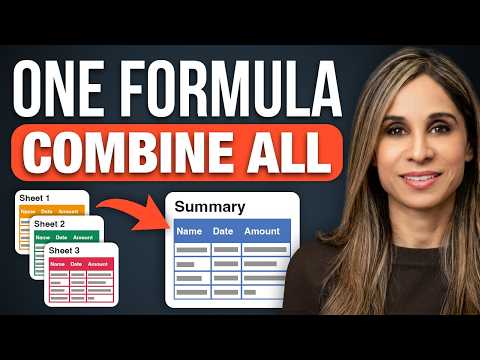
Stop Copying Data Between Excel Sheets! (Do This Instead)
Combine data from multiple Excel sheets with one formula. 6 VSTACK tips, no copy and paste. 📥 Download the practice workbook: https://www.xelplus.com/excel-vstack-function/?utm_source=yt-video&utm_medium=vid-description&utm_campaign=download-vstack&utm_content=vstack-tips#download 🎓 Modern Excel Functions: https://www.xelplus.com/course/new-excel-functions-course/?utm_source=yt-video&utm_medium=vid-description&utm_campaign=modern-functions&utm_content=vstack-tips (500,000+ enrolled in our courses) I start simple: stack two Excel tables with VSTACK so new rows show up on their own. Then I stack ranges from different sheets, remove the zeros with the dot trick, and summarize the result with GROUPBY. For monthly sheets I use a 3D reference with FILTER, and finally I add Start and End sheets so any month you drop in between is included. 🏢 Training a team? We have team licenses: https://www.xelplus.com/business-customers/ ✅ Good to know: The dot trick is called a trim reference: A2:.D40 trims empty rows from the end of the range. It's Microsoft 365 only and doesn't work with 3D references, so use FILTER there. VSTACK works in Microsoft 365 and Excel 2024. GROUPBY needs Microsoft 365. The one-formula version (VSTACK inside GROUPBY) is in the download file. ⏱️ Chapters: 00:00 Combine data from different sheets with one formula 00:24 Tip 1: VSTACK Excel tables 01:09 Format the result and test new rows 01:38 Tip 2: Stack ranges across sheets 02:59 Tip 3: Remove zeros with the dot trick 04:02 Tip 4: Summarize with GROUPBY 04:28 Use CHOOSECOLS with the spilled range 05:43 Test it: add a new product 06:41 Tip 5: Consolidate monthly sheets with a 3D reference 07:39 Remove blank rows with FILTER 08:25 Why a new month isn't picked up 08:58 Tip 6: Dynamic 3D ranges with Start and End sheets 🎬 Related videos: 🎬 VSTACK function basics: https://youtu.be/qNz35j5ZevQ 🎬 3D formulas across sheets: https://youtu.be/7T3i-RiuBBU ➡️ Join this channel: https://www.youtube.com/channel/UCJtUOos_MwJa_Ewii-R3cJA/join 👉 Get one practical Excel tip each week in our newsletter: https://link.xelplus.com/yt-d-newsletter 🚩 Connect with us: Instagram: https://www.instagram.com/lgharani LinkedIn: https://www.linkedin.com/in/leilagharani #excel #vstack #excelformulas
Suggested videos

Stop Building Ugly Excel Dashboards (Do This Instead)
Leila Gharani · 12:11
Power Query for Beginners: Automate Your Excel Work in 25 Mins
Leila Gharani · 27:01

Stop Writing Huge Excel Formulas. (Use ONE DOT Instead)
Leila Gharani · 10:24

How to Use XLOOKUP in Excel (5 Practical Examples)
Leila Gharani · 13:34
8 Hidden Excel Tools to Understand Any Spreadsheet
Leila Gharani · 11:23
The Only VLOOKUP Guide You’ll Ever Need. (No More Errors)
Leila Gharani · 15:15

What Actually IS a Pivot Table?
Leila Gharani · 3:52
Excel Tutorial for Beginners | How to Use Excel
Leila Gharani · 15:54