
Video unavailable
This video can't be played right now.
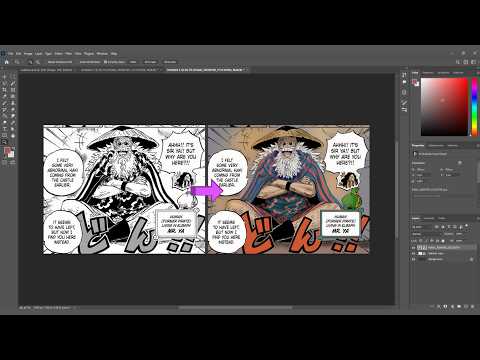
How to Color Manga Panels Like a PRO! Scopper Gaban One Piece Photoshop Tutorial
In this digital coloring video, watch as I color Scopper Gaban (Mr. Ya) from One Piece while sharing essential Photoshop tips and techniques! 🎨 KEY TECHNIQUES COVERED IN THIS VIDEO: • How to seal line art gaps using the brush tool before bucket filling. • Organizing workflow by grouping shading & highlight layers (Ctrl + G). • Using Multiply mode for warm, natural skin shadows. • Creating realistic fabric creases using light & dark tone contrast. • Applying Screen blend mode for shiny cape highlights. • Adding depth with layered backlighting and tinted glow effects. ✨ CHAPTERS / TIMESTAMPS: 00:00 Intro 00:06 Line gaps 00:16 Lasso tool 01:15 Gaussian Blur 01:46 Grouping the layers 04:15 Background coloring 05:26 Skin contour (Shading) 07:46 Hair highlights 08:44 Creating fabric creases 09:01 Creating 3D effect on fabric 10:37 Hair shading 11:58 Creating Rim light effect on background 12:29 Creating Halo effect 12:56 Final Reveal 13:06 Outro --------------------------------------------------- Software Used: Adobe Photoshop Character: Scopper Gaban / Mr. Ya (One Piece) If you found these coloring tips helpful, don't forget to LIKE, COMMENT your thoughts, and SUBSCRIBE for more manga coloring tutorials! #OnePiece #MangaColoring #ScopperGaban #DigitalArt #PhotoshopTutorial #Speedpaint #AnimeArt
Suggested videos
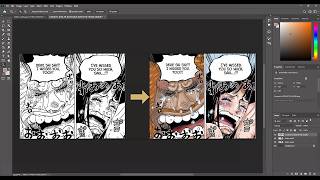
How to Color Manga Panels: Robin & Saul Reunion in Photoshop
Animadezone · 13:49
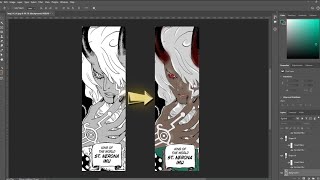
Coloring "Imu' from One Piece Manga chapter 1179 #onepiece #imu #manga
Animadezone · 2:16
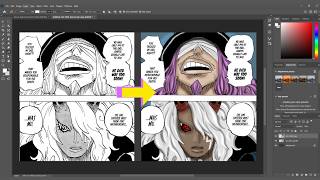
STEP BY STEP Manga Coloring Tutorial in Photoshop I Imu & Loki Panel
Animadezone · 10:46
Emeth Released Joyboy’s Haki to Save Strawhats
Animadezone · 2:18
Rap de Monkey D. Luffy VS Los Cinco Ancianos (Gorosei) | One Piece
KC_No_Sekai · 6:32
Coloring Young Shakky Manga Panel!🔥| One Piece Digital Art Tutorial #onepiece #mangacoloring
Animadezone · 10:16